
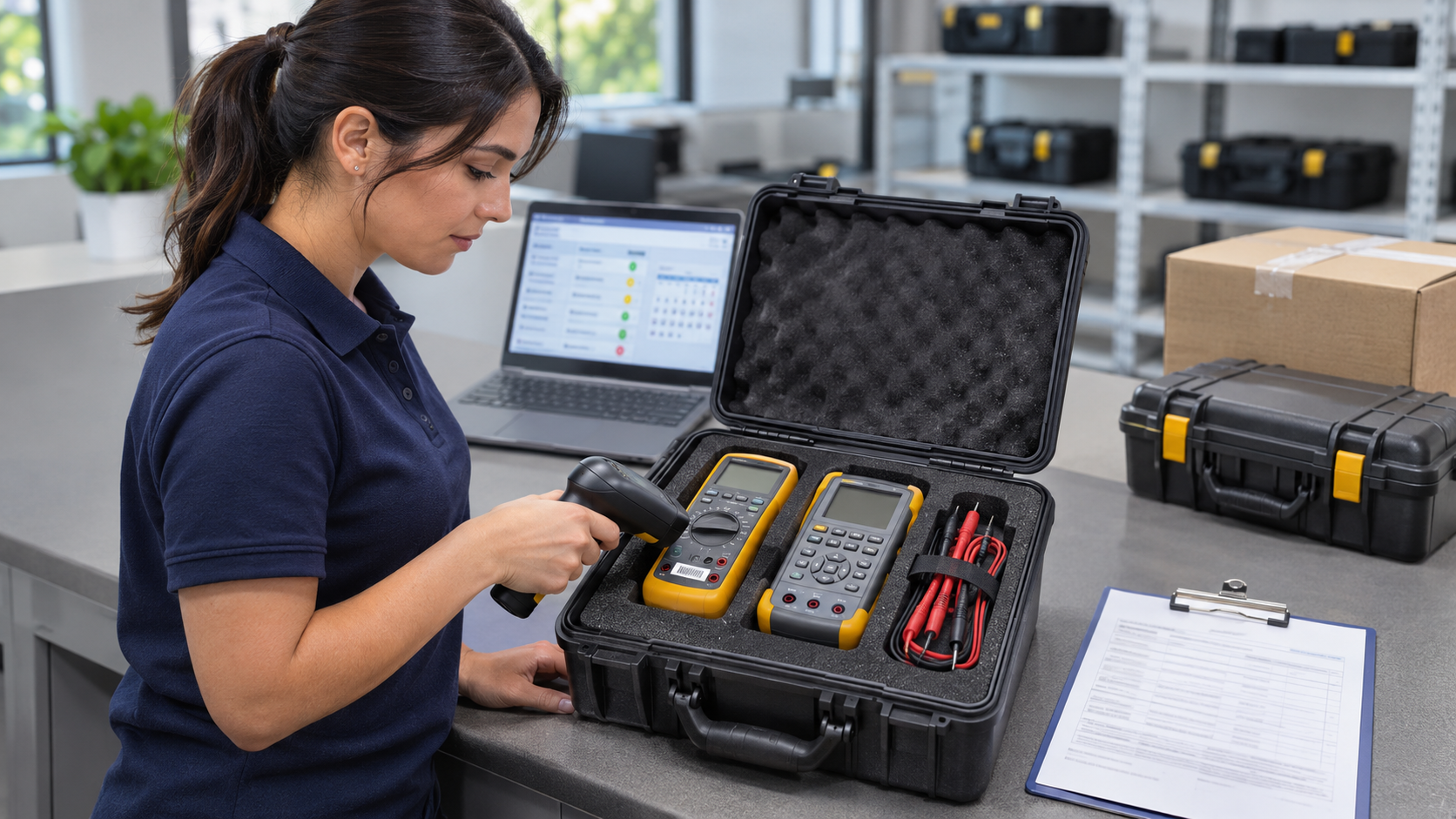
When an engineer asks, “Can I use this instrument for tomorrow’s job?” the answer may require more than checking a calibration label.
The team may also need to confirm which instrument it is, whether it supports the required work, where its calibration records are stored, and whether any damage or service concerns have been reported.
Calibration management connects that information with the activities needed to maintain and support equipment in the field.
For teams working across multiple locations, the goal is practical: help engineers find suitable equipment and the records they need, while giving managers visibility into equipment that requires attention.
Here are the foundations of an effective approach.
Key Takeaways
- Connect each instrument with accurate identification, calibration records, location, and service status.
- Define who handles equipment transfers, reviews calibration results, and follows up on reported problems.
- Review recurring equipment issues to identify where the management process needs improvement.
- SIMCO’s Field Service C.A.R.E. program supports these practices by coordinating calibration, toolkit exchanges, equipment tracking, and related communication.
1. Establish a Reliable Equipment Record
Start with a dependable record for each instrument.
At a minimum, capture:
- Unique equipment identification.
- Manufacturer, model, and serial number.
- Assigned engineer, toolkit, or location.
- Calibration date and next due date.
- Current service status.
- Links to calibration records and relevant service history.
Use consistent identification across physical labels, equipment records, shipping information, and calibration certificates.
Two instruments of the same model may look identical but have different histories. Model numbers alone are not enough to distinguish them.
Practical tip: Select a few instruments and trace each one from its physical label to its equipment record and latest calibration certificate. Any difficulty is a useful improvement opportunity.
2. Distinguish Calibration Status from Equipment Availability
An instrument may have a current calibration record but be in transit, assigned to another engineer, or awaiting review after reported damage. Likewise, an instrument sitting on a shelf may be overdue for calibration or missing required documentation.
Useful equipment records distinguish among questions such as:
- Is its calibration current?
- Where is it?
- Who has it?
- Has a problem been reported?
- Is it available for assignment?
- Are there restrictions on its use?
Avoid relying on one broad status field to communicate all of these conditions.
For example, a meter may have a current calibration certificate but be assigned to an engineer in another region. Another may be physically available but awaiting review after a reported drop. Tracking calibration status, location, and reported problems separately helps the coordinator understand which instrument can be considered for the next assignment.
Practical tip: Define what each status means and who is responsible for changing it. “Available” should have a consistent meaning across the team.
3. Make Calibration Records Easy to Find and Review
A certificate is most useful when someone can connect it to the correct instrument and locate it when needed.
Organize records around unique equipment identification rather than relying only on engineer names, email attachments, or shipment folders.
Engineers may need access before a customer visit. Quality personnel may need records during a review or investigation. Managers may need to confirm whether equipment has completed service.
Also establish a process for reviewing calibration results. Receiving a certificate should not automatically close the service activity if the results identify something requiring attention.
For example, an out-of-tolerance result may require evaluation under the organization’s procedures. Its significance depends on the measurement requirements and how the instrument was used.
Practical tip: Confirm who reviews results, who handles exceptions, and how unresolved questions are recorded.
4. Define the Handoffs
Many equipment problems occur between activities rather than within them.
A replacement arrives, but no one confirms it is complete. An engineer changes territories, but the equipment record retains the old assignment. A damaged instrument is reported, but remains listed as available.
Define ownership for the main handoffs:
| Activity | Responsibility to define |
|---|---|
| Assigning or transferring equipment | Who updates the equipment record? |
| Scheduling calibration | Who initiates service and coordinates availability? |
| Receiving equipment | Who checks condition, contents, and documentation? |
| Reviewing calibration results | Who evaluates results and follows up on exceptions? |
| Reporting equipment problems | Who receives the report and controls the next steps? |
| Returning outgoing equipment | Who confirms shipment and follows up? |
A provider may coordinate several activities, but the customer still needs clear internal ownership for equipment requirements and quality decisions.
5. Match Replacement Inventory to Actual Needs
Replacement planning should consider which equipment engineers need, how often they need it, and how easily it can be substituted.
Review:
- Models used across the largest number of toolkits.
- Instruments needed for critical or specialized assignments.
- Equipment with few suitable substitutes.
- Items frequently unavailable because of repair or service.
- Regional differences in equipment requirements.
The total number of spare instruments can be misleading. Several available meters will not solve a shortage of a specialized calibrator.
Practical tip: Review availability by instrument type or model, rather than looking only at the total spare inventory.
6. Give Engineers a Clear Way to Report Problems
Engineers need an easy, consistent process for reporting damage, missing accessories, unexpected behavior, and documentation problems.
A useful report identifies:
- The instrument or toolkit.
- The problem observed.
- The current location.
- The next assignment that may be affected.
- Whether replacement equipment is needed.
The process should also make clear who decides what happens next and how equipment use is controlled while a concern is being reviewed.
Practical tip: Include equipment identification in every issue report. Photos can help explain condition or damage, but should accompany a clear description.
7. Review Recurring Problems and Follow Through
A regular program review should help the team understand why equipment becomes unavailable or requires repeated follow-up.
Useful measures may include:
- Equipment overdue for calibration.
- Exchanges completed as scheduled.
- Outgoing equipment awaiting return.
- Missing or difficult-to-access records.
- Equipment-related delays reported by engineers.
- Repeated repair or damage issues.
- Unresolved calibration-result reviews.
Define each measure before using it. For example, specify whether an exchange is complete when the replacement is delivered, when the engineer checks it, or when the outgoing kit is returned.
Use the findings to identify practical changes, such as updating receiving instructions, revising toolkit contents, or assigning clearer ownership.
Make Field Equipment Easier to Manage
Effective calibration management gives people dependable information and a clear process for acting on it.
Start with accurate equipment records, accessible documentation, and defined responsibilities. Then use recurring issues to decide where better coordination or outside support would help.
SIMCO’s Calibrated Asset Readiness & Exchange (C.A.R.E.) program supports these practices by coordinating calibration, replacement toolkit shipments, equipment returns, and related communication. CERDAAC software supports equipment records and tracking so program coordinators can identify upcoming exchanges and items requiring follow-up. Engineers still need to confirm receipt, check replacement equipment, report problems, and return outgoing kits. This shared process helps keep equipment movement and records aligned as instruments move between engineers and calibration facilities.
Looking for help coordinating your field equipment program? Talk to SIMCO about how C.A.R.E. could support your team.
Explore SIMCO’s Field Service C.A.R.E. program.
Frequently Asked Questions
Is calibration management the same as calibration tracking
Tracking records information such as equipment identification and due dates. Management uses that information to coordinate service, availability, documentation, responsibilities, and follow-up.
What should we consider when choosing equipment management software
Start with the tasks your team needs to perform: locating instruments, updating assignments, finding certificates, planning service, and resolving exceptions. Evaluate whether the system supports those tasks and whether users can keep its records current.
When should a team consider managed support
Consider it when coordination work regularly exceeds internal capacity, records are difficult to maintain, or recurring logistics problems affect equipment availability. Identify the specific gaps before discussing support options.